

AI Classroom Generator for Interactive Lessons
Describe a topic, choose your learners and teaching language, then generate a hosted classroom with narration and knowledge checks.
Build a Complete AI Classroom From One Topic
Turn one teaching idea into a structured hosted lesson with visual scenes, AI guidance, voice narration, participation, and a knowledge check.
Generate Visual Lessons With Narration and Quizzes
Interactive lesson generation
The generator turns your topic into a hosted lesson flow with visual slides, AI teaching, voice narration, participation prompts, and a short knowledge check. Open the finished classroom in a new tab or copy its link when generation is complete.
Generate an Interactive Classroom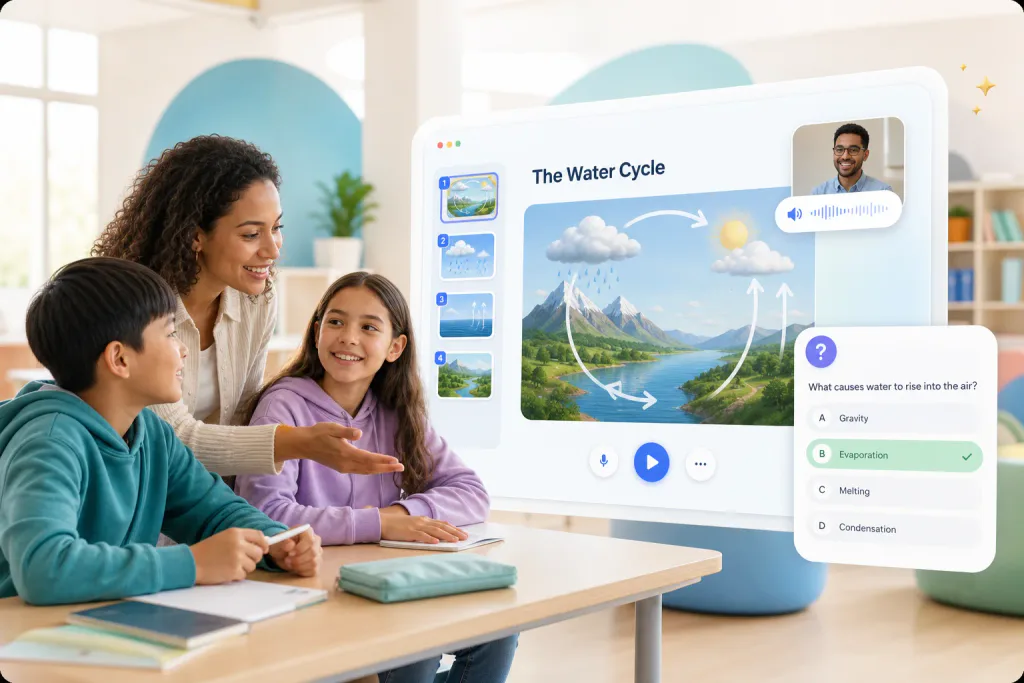
Adapt Classroom Content by Level and Language
Learner and language controls
Choose elementary, middle school, high school, higher education, or professional learners before generation. TeachAny also follows automatic language detection or your explicit choice of English, Simplified Chinese, or Japanese across the lesson content and narration.
Choose Your Classroom Settings
How to Use the AI Classroom Generator
Create a hosted interactive lesson from one topic and a few audience settings.
Describe Your Lesson Topic
Step 1
Enter the concept, learning goal, or subject you want the classroom to teach in 8 to 1600 characters.
Choose Learners and Language
Step 2
Select a learner level and use automatic language detection or choose English, Simplified Chinese, or Japanese.
Generate and Open the Classroom
Step 3
Start generation, follow the live progress, then open the hosted classroom or copy its result link.
Why Use the TeachAny AI Classroom Generator
Move from a teaching idea to a structured, audience-aware classroom experience
One Coherent Lesson Experience
Keep explanation, visuals, narration, participation, and assessment inside one generated classroom flow.
- Structured visual lesson scenes
- AI teaching with voice narration
- Participation and a knowledge check
Less Manual Classroom Setup
Provide the teaching goal and let the asynchronous generator assemble the classroom while you track progress.
- One focused topic prompt
- Visible generation progress and timing
- Resume an active job in the same session
Better Fit for Your Learners
Set the intended learning stage and teaching language before generation begins.
- Five learner-level choices
- English, Simplified Chinese, or Japanese
- Automatic teaching-language detection
AI Classroom Generator FAQs
Clear answers about generated content, learner settings, access, and result options
It creates a hosted interactive classroom from your topic. The result can include visual lesson scenes, AI teaching, voice narration, participation, and a short knowledge check.
The generator uses your selected learner level as a core instruction. Choose elementary, middle school, high school, higher education, or professional learners before starting.
Ready-made examples are free to open. Generating a custom classroom requires sign-in and uses one credit only after successful completion.
The current version supports English, Simplified Chinese, and Japanese. You can choose a language or let the generator detect it from your topic.
This version lets you open the hosted classroom or copy its link. It does not include an editor, PDF download, or other export controls; active jobs can resume in the same session for up to 30 minutes.